


A BGP neighbor stuck in Active or Idle has not reached the Established state. Start with the peer address, route to that address, TCP connectivity and neighbour configuration. Active does not mean the peering is working. This guide gives you a short diagnostic sequence and a two-router eBGP practice example so you can identify the failed step before changing the configuration.
The examples use Cisco IOS/IOS XE-style IPv4 commands. Interface names, command syntax and output vary by platform and release. Configurations and outputs below are illustrative; they have not been executed in a router emulator for this article. Practise in an isolated lab before adapting changes to a production network.
What do Idle and Active mean?
| State | What to investigate |
|---|---|
| Idle | The session is not established. Check administrative shutdown, configuration, reachability and the last reset reason. |
| Connect / Active | BGP is trying to establish or re-establish its TCP transport. Check both directions and the configured source. |
| OpenSent / OpenConfirm | Inspect BGP negotiation and notification messages rather than assuming a cable fault. |
| Established | The peering is up. Next verify the intended routes and actual forwarding. |
A peer can move between states while retrying. A single snapshot does not identify the cause. In a Cisco summary, a number in State/PfxRcd normally reports received prefixes for an established session; 0 can mean an established peer receiving no prefixes. Use the detailed neighbour output to confirm the state. The protocol state definitions are described in RFC 4271, section 8.
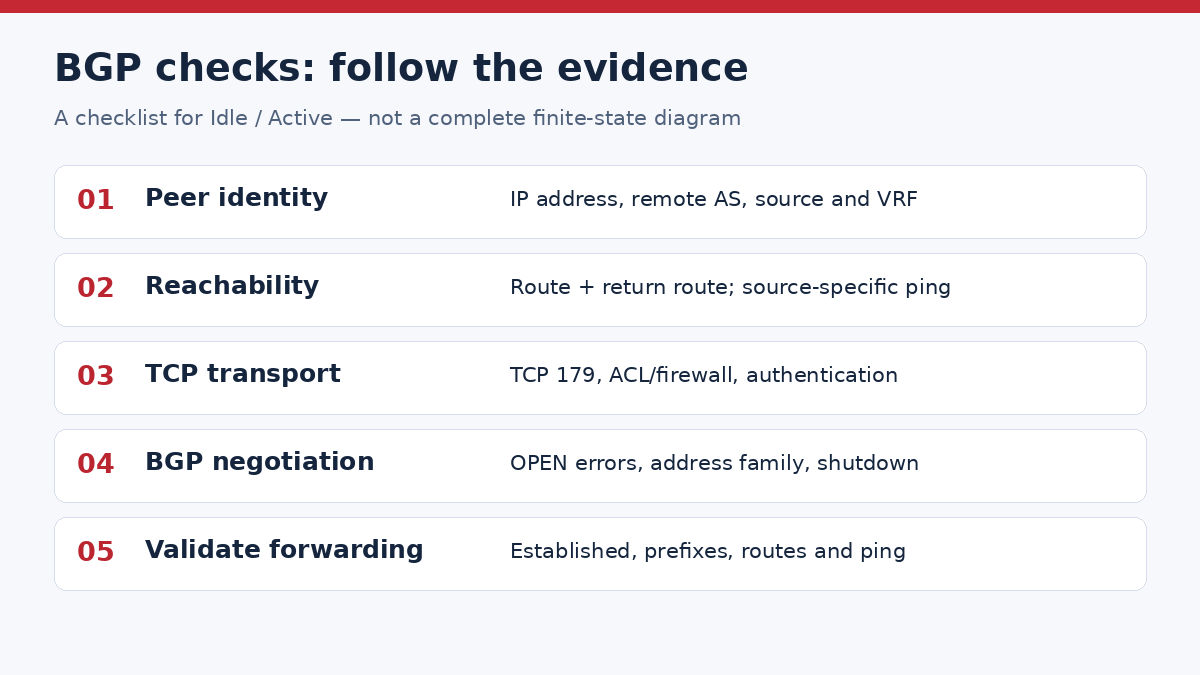
1. Capture the symptom before changing anything
show ip bgp summary
show ip bgp neighbors 192.0.2.2
show running-config | section router bgp
show logging | include BGP|TCP
Record the peer IP, local and remote AS, session state, uptime and last reset reason. Repeat the checks on the other router. A wrong remote AS can let TCP connect and then fail during the BGP OPEN exchange, so “ping works” is not a complete diagnosis.
If you are unsure which protocol should provide the underlying reachability, first review OSPF vs BGP and their different roles.
2. Check the route and the source address
show ip interface brief
show ip route 192.0.2.2
ping 192.0.2.2 source 192.0.2.1
The remote router needs a return path to the source of your BGP connection. When peering over loopbacks, test reachability between those loopbacks and verify the configured update source. Check the correct VRF and address family. An ordinary ping from another interface can succeed while the actual BGP source remains unreachable.
For directly connected eBGP, verify addressing and interface state first. For deliberately multihop eBGP, validate the routing, source and required hop limit on both ends. Do not add ebgp-multihop to every failed peering as a generic fix. Cisco documents source-address and neighbour-configuration failures in its BGP neighborship connection troubleshooting guide.
3. Separate TCP problems from BGP negotiation
BGP uses TCP port 179. Review interface ACLs, firewalls and control-plane policies for the actual endpoints and return traffic. Compare any configured authentication on both routers. Start with read-only evidence; do not remove security controls simply to make the session come up.
show tcp brief all
show access-lists
show ip bgp neighbors 192.0.2.2
show logging | include BGP|TCP
An ACL counter is meaningful only when you identify the matching rule, direction and test traffic. A TCP probe may help isolate reachability, but it is not proof of successful BGP OPEN negotiation or route exchange. If transport succeeds, use the notification or last reset reason to check remote-AS, capabilities, authentication and administrative state.
4. Build a small two-router eBGP lab
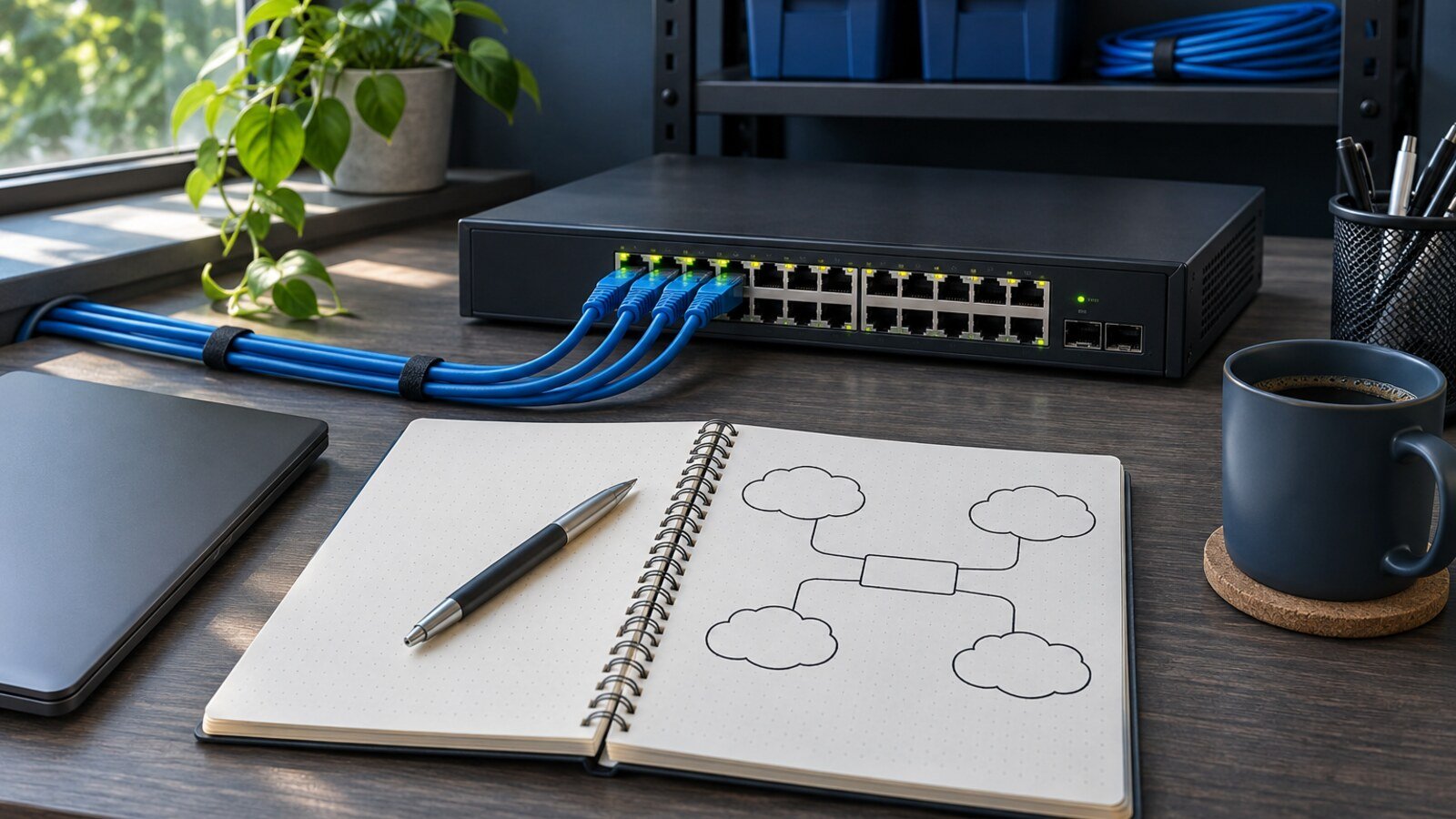
Use two routers with a direct Ethernet connection. The /30 transit addresses are neighbours on the same subnet; each router also has one /32 loopback to advertise. These documentation IP ranges and private ASNs are for the example only.
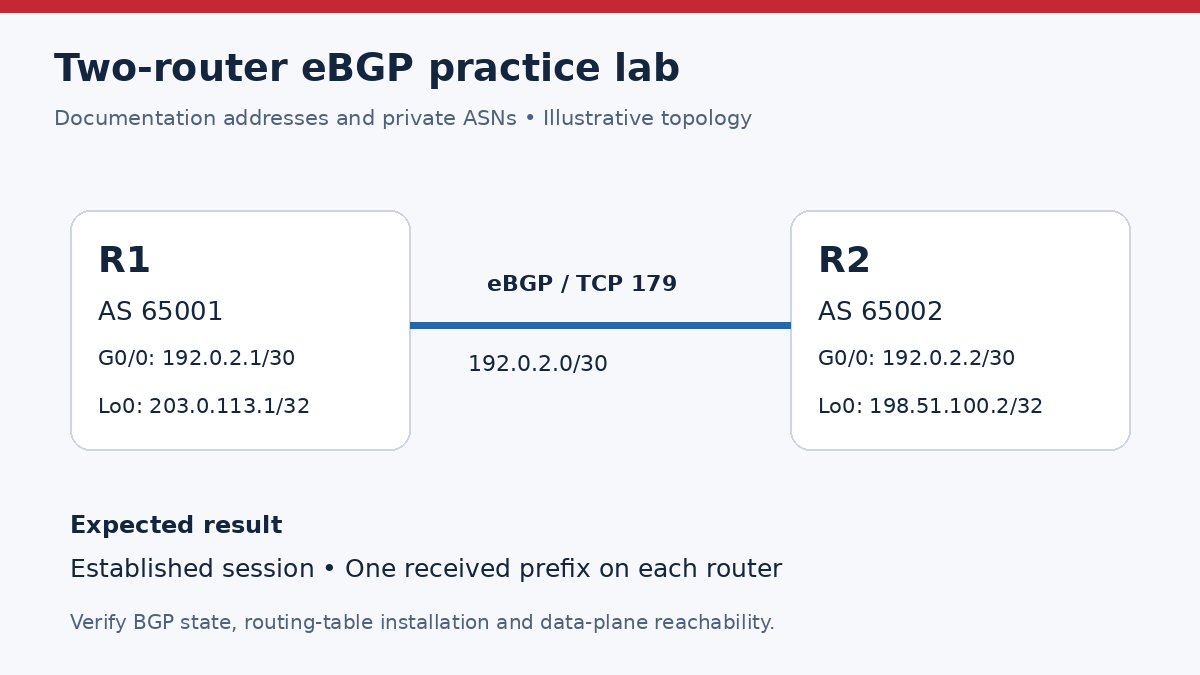
R1 baseline configuration
interface GigabitEthernet0/0
 ip address 192.0.2.1 255.255.255.252
 no shutdown
!
interface Loopback0
 ip address 203.0.113.1 255.255.255.255
!
router bgp 65001
 bgp router-id 203.0.113.1
 no bgp default ipv4-unicast
 neighbor 192.0.2.2 remote-as 65002
 address-family ipv4 unicast
  neighbor 192.0.2.2 activate
  network 203.0.113.1 mask 255.255.255.255
 exit-address-family
R2 baseline configuration
interface GigabitEthernet0/0
 ip address 192.0.2.2 255.255.255.252
 no shutdown
!
interface Loopback0
 ip address 198.51.100.2 255.255.255.255
!
router bgp 65002
 bgp router-id 198.51.100.2
 no bgp default ipv4-unicast
 neighbor 192.0.2.1 remote-as 65001
 address-family ipv4 unicast
  neighbor 192.0.2.1 activate
  network 198.51.100.2 mask 255.255.255.255
 exit-address-family
The example explicitly activates the neighbour under IPv4 unicast. The BGP network statement requires the exact prefix in the local routing table; the loopback supplies that /32 here. Check the release-specific syntax before pasting the configuration.
5. Inject one fault: the wrong remote AS
After confirming the baseline in your lab, change only R1’s remote AS to 65003. R2 is still running AS 65002. Changing this neighbour setting can reset the session; use only the isolated lab.
R1(config)# router bgp 65001
R1(config-router)# neighbor 192.0.2.2 remote-as 65003
Check the summary and logs again. Expect the session not to remain Established. The displayed state and notification timing depend on the software and retry cycle; look for evidence of an AS mismatch rather than requiring one exact screenshot. Correct the one changed value:
R1(config)# router bgp 65001
R1(config-router)# neighbor 192.0.2.2 remote-as 65002
Let the routers renegotiate, then compare both ends. Do not start with a global clear ip bgp * on a live network. If a reset is actually required, use the platform’s neighbour-specific procedure under an approved change plan.
6. Verify routes and forwarding, not just the session
R1# show ip bgp summary
R1# show ip bgp neighbors 192.0.2.2
R1# show ip bgp 198.51.100.2
R1# show ip route 198.51.100.2
R1# ping 198.51.100.2 source 203.0.113.1
In this example, each router should receive one advertised /32 after the peer establishes. Illustrative summary excerpt on R1:
Neighbor       V    AS     MsgRcvd MsgSent  TblVer InQ OutQ Up/Down  State/PfxRcd
192.0.2.2      4    65002  12      12       3      0   0    00:02:10 1
The counts and elapsed time are examples, not captured test output. Confirm Established in the detailed output, a selected BGP path, installation in the IP routing table and a successful loopback-to-loopback ping in both directions. If the session is up with zero prefixes, investigate address-family activation, exact network routes and routing policy. That is a different failure from TCP establishment.
For a wider practice sequence, use the CCNP ENARSI lab checklist. If an OSPF adjacency supplies the underlay, the OSPF EXSTART troubleshooting guide covers a separate stage of diagnosis.
Frequently asked questions
Does Active mean the BGP session is working?
No. Active is a connection-establishment state. Confirm Established and then check routes and forwarding.
Why can I ping my BGP peer while the session stays down?
ICMP success does not establish that TCP 179 or the BGP OPEN exchange succeeds. Also check that your test uses the same source and VRF as the BGP session.
Should I add ebgp-multihop to fix Active?
Only when the intended eBGP design requires it. Validate peer addressing, source, routes and the required hop limit first. Direct-interface peering in this lab does not need it.
Can BGP be Established with zero received prefixes?
Yes. Session establishment and prefix advertisement are different checks. Verify the activated address family, the advertised network’s routing-table entry and the import/export policies.
Which evidence should I collect before escalating?
Collect both neighbour configurations, the detailed peer state and last reset reason, source-specific reachability results, relevant logs, routing-table entries and applicable ACL counters. Remove passwords and unrelated customer information before sharing the evidence.

PM Networking is an emerging leader in the ed-tech space, founded by Praphul Mishra in 2020 with a vision to democratize tech education. The journey of PM Networking began as a YouTube channel with the sole purpose of sharing valuable knowledge in the fields of Networking, Cyber Security, and Cloud Computing. What started as a humble effort to educate has rapidly evolved into a comprehensive online learning platform that caters to the growing demand for specialized IT skills.PM Networking stands out in the crowded ed-tech industry by providing affordable, world-class training tailored to the needs of aspiring IT professionals. The platform is dedicated to equipping learners with the skills and knowledge required to excel in the highly competitive tech industry. Whether it’s Networking fundamentals, advanced Cyber Security protocols, or mastering the complexities of Cloud Computing, PM Networking offers a range of courses designed to cater to different levels of expertise.
0 Comments