OUR TOP courses

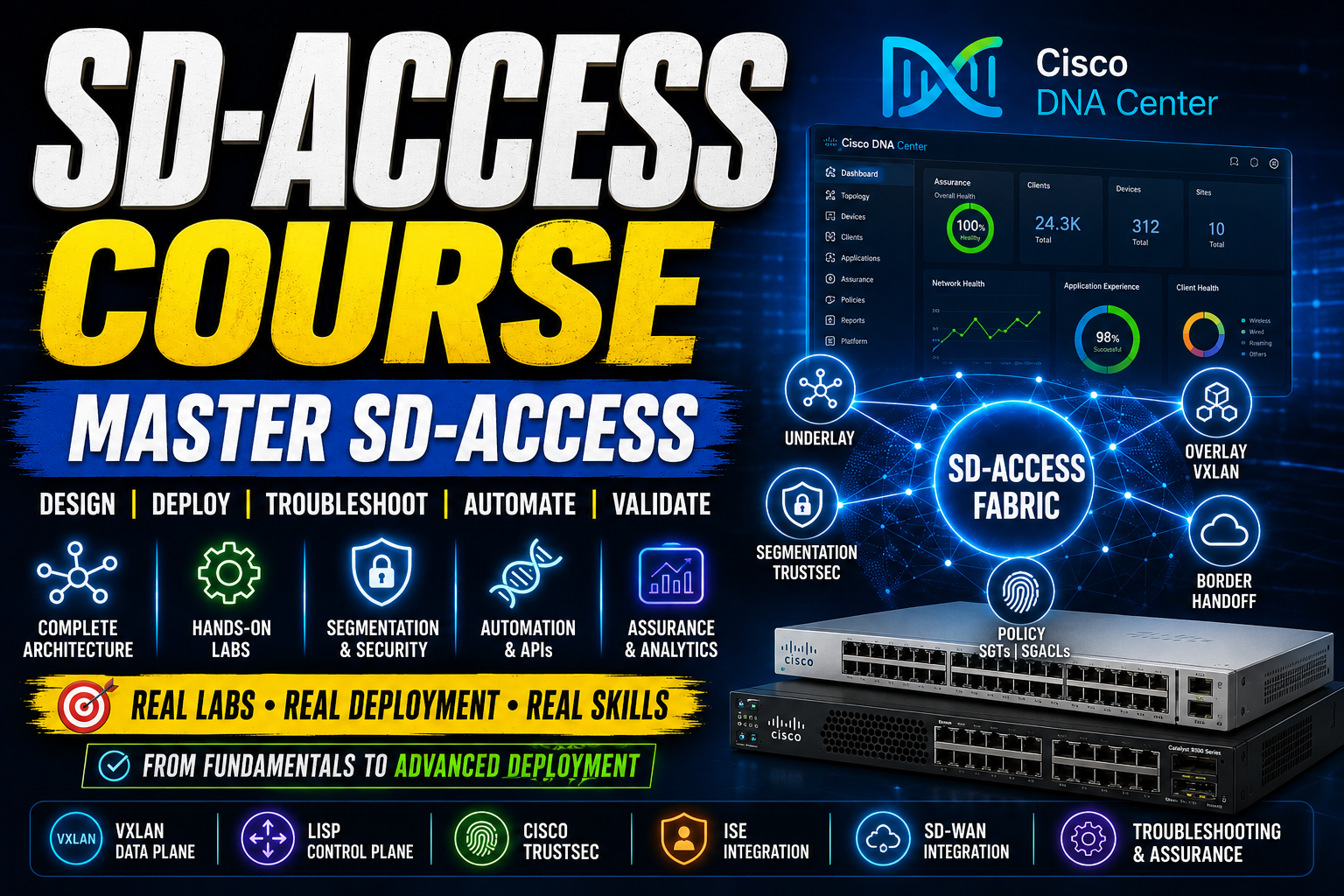

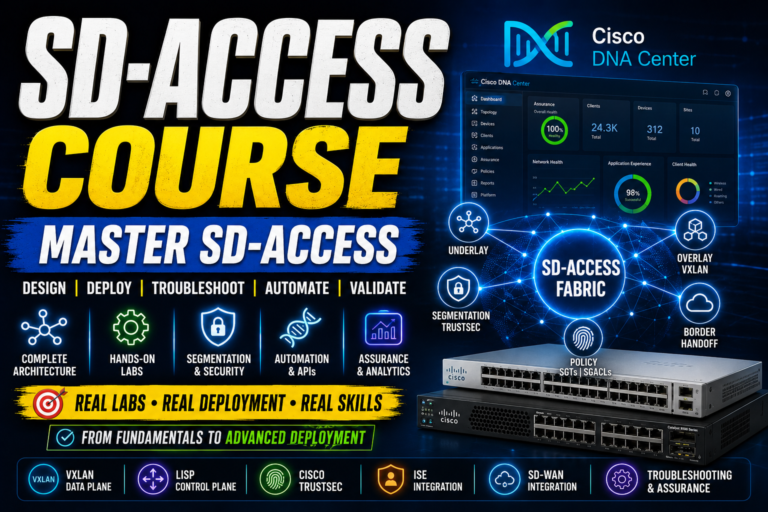
Master Cisco SD-Access Through Real Hands-On Labs, Deployment & Troubleshooting
Master Cisco SD-Access Through Real Hands-On Labs, Deployment & Troubleshooting Stop learning SD-Access only from theory. Learn how to design, deploy, troubleshoot and…
2 Students

₹24,999
₹49,999
About Course
Master Cisco SD-Access Through Real Hands-On Labs, Deployment & Troubleshooting
Stop learning SD-Access only from theory. Learn how to design, deploy, troubleshoot and validate a complete Cisco SD-Access environment.
Cisco SD-Access is transforming the way enterprise networks are designed, automated, secured and managed. But understanding concepts such as Cisco DNA Center, VXLAN, LISP, Cisco TrustSec, VRFs, SGTs, SGACLs, ISE, fabric borders and SD-WAN integration is very different from actually working with them.
This SD-Access Course for CCIE Students is designed to take you through SD-Access step by step — from the fundamentals and underlay network to advanced fabric deployment, segmentation, troubleshooting and final certification preparation.
The course follows a practical, lab-focused approach, giving you the opportunity to work through real SD-Access configuration and troubleshooting scenarios rather than simply memorizing concepts.
Why Learn SD-Access?
Modern enterprise networks demand more than traditional device-by-device configuration.
With Cisco SD-Access, network teams can use automation, centralized management, policy-based segmentation and intelligent assurance to simplify large-scale network operations.
This course helps you understand the complete SD-Access architecture and, more importantly, how its major components work together:
Cisco DNA Center → Underlay → Overlay → Fabric → Policy → Segmentation → Border Handoff → Assurance → Troubleshooting
By the end of the training, you will have worked through the complete journey from an initial SD-Access setup to a full deployment and troubleshooting challenge.
What You Will Learn
Throughout the course, you will work with:
- Cisco SD-Access architecture and fundamentals
- Cisco DNA Center
- Underlay network configuration
- LAN Automation and Plug and Play
- Extended and Policy Extended Nodes
- LISP and BGP control plane
- VXLAN data plane
- Cisco TrustSec
- Fabric design and deployment
- Network hierarchy and address pools
- Virtual Networks and VRFs
- Network policies and ISE integration
- SD-Access APIs and automation
- Host onboarding and authentication
- Multi-site and remote border
- SD-WAN and MPLS integration
- Fabric border handoff
- Macro and micro segmentation
- SGTs and SGACLs
- Cisco DNA Assurance
- Traffic-flow analysis
- Advanced troubleshooting
- Migration from traditional networks
- Greenfield and brownfield deployment
- Complete SD-Access deployment
- CCIE-oriented practical tasks and exam preparation
Hands-On SD-Access Training
This is not designed as a purely theoretical networking course.
Hands-on labs are integrated throughout the syllabus, including underlay configuration, SD-Access fabric deployment, policy configuration, ISE integration, segmentation, border handoff, troubleshooting and full-environment deployment.
The final stage brings these skills together through practical SD-Access tasks including configuring a fabric from scratch, multi-tenant segmentation, secure host onboarding and SD-WAN border handoff.
Who Is This SD-Access Course For?
This course is particularly suitable for:
- CCIE students
- CCNP-level networking professionals
- Network engineers
- Cisco network administrators
- Enterprise network engineers
- Network automation engineers
- Infrastructure engineers
- Professionals preparing for advanced Cisco networking roles
- Engineers who want practical Cisco SD-Access experience
If you already understand traditional networking and want to move toward software-defined enterprise networking, automation, segmentation and Cisco SD-Access, this course gives you a structured path to do it.
What Makes This SD-Access Training Different?
Learn the Complete Architecture
Instead of studying individual technologies in isolation, you will understand how underlay, overlay, control plane, data plane, policy plane, DNA Center, ISE and fabric components work together.
Practice What You Learn
The syllabus includes hands-on labs throughout all four weeks, progressing from individual configurations to complete SD-Access deployment and troubleshooting.
Go Beyond Basic Configuration
The course progresses into advanced areas including multi-site deployment, border handoff, segmentation, assurance, analytics, migration and advanced troubleshooting.
Prepare for Real Network Scenarios
The final part of the course focuses on practical deployment and troubleshooting scenarios designed around the type of skills advanced networking engineers need.
Complete SD-Access Course Syllabus
Week 1: Basics & Setup
Day 1: Introduction to SD-Access
- What is SD-Access?
- Cisco DNA and its benefits
- Hands-On Lab: Exploring Cisco DNA Center GUI
Day 2: Underlay Network
- Manual setup vs. automation (LAN Automation, PnP)
- Device discovery & management
- Hands-On Lab: Configuring an underlay network manually & via LAN automation
Day 3: Extended Nodes & Connectivity
- Connecting devices (extended & policy extended nodes)
- Physical connections & reachability
- Hands-On Lab: Configuring extended nodes & validating reachability
Day 4: Overlay Network
- LISP, BGP (Control Plane)
- VXLAN (Data Plane)
- Cisco TrustSec (Policy Plane)
- Hands-On Lab: Configuring overlay with LISP & VXLAN
Day 5: Advanced Overlay Features
- L2 flooding, multicast & traffic flow
- Hands-On Lab: Traffic flow analysis in SD-Access
The first week establishes the SD-Access foundation, moving from architecture and Cisco DNA Center into underlay, extended nodes, overlay technologies and traffic-flow analysis.
Week 2: Fabric Design DNA Center
Day 6: Fabric Design
- Single-site, multi-site, and fabric-in-a-box models
- Hands-On Lab: Deploying a single-site SD-Access fabric
Day 7: Cisco DNA Center – Design
- Network hierarchy (branches, areas, buildings, floors)
- Address pools & VN segments
- Hands-On Lab: Configuring network hierarchy in DNA Center
Day 8: Cisco DNA Center – Policy & Provisioning
- Creating and applying network policies
- ISE integration for security
- Hands-On Lab: Configuring policies & ISE integration
Day 9: Cisco DNA Center – Configuration & API Configuring VRF, BGP, SVI (GUI-Based)
- Automation via APIs
- Hands-On Lab: Configuring VRF & BGP in DNA Center
Day 10: Fabric Deployment Basics
- Host onboarding, authentication, & port configuration
- Adding devices & setting border priorities
- Hands-On Lab: Onboarding hosts & setting authentication templates
Week 2 moves from design into actual fabric deployment, including DNA Center hierarchy, policies, ISE, VRF/BGP configuration, APIs and host onboarding.
Week 3: Advanced Features & Border Handoff
Day 11: Multi-Site & Remote Border
- Remote border configuration
- Connecting SD-WAN and MPLS
- Hands-on Lab: Configuring multi-site remote border
Day 12: Fabric Border Handoff
- Connecting SD-Access to other networks
- Fusion router & Layer 2 border handoff
- Hands-on Lab: Configuring & verifying fabric border handoff
Day 13: Segmentation in SD-Access
- Macro segmentation (Virtual Networks)
- Micro segmentation (SGTs & SGACLs)
- Hands-on Lab: Implementing segmentation with VN & SGTs
Day 14: Assurance & Analytics
- Using Cisco DNA Assurance for monitoring & insights
- AI-driven troubleshooting & analytics
- Hands-on Lab: Exploring DNA Assurance features
Day 15: Hands-On Lab Troubleshooting
- Using DNA Center’s Assurance Dashboard
- Traffic flow analysis & debugging
- Hands-on Lab: Simulating & resolving common network issues
Week 3 takes the training into advanced enterprise scenarios, including multi-site connectivity, border handoff, segmentation, assurance and troubleshooting.
Week 4: Deployment & Certification Prep
Day 16: Connecting SD-Access with External Networks
- BGP peering, SD-WAN, MPLS integration
- Hands-on Lab: Peering SD-Access with external networks
Day 17: Advanced Troubleshooting
- Common issues & debugging techniques
- Log analysis & device telemetry
- Hands-on Lab: Debugging SD-Access fabric issues
Day 18: Migration Strategies
- Moving from traditional networks to SD-Access
- Greenfield vs. brownfield deployments
- Hands-on Lab: Migrating an existing network to SD-Access
Day 19: Hands-On Lab Full Deployment
- Setting up SD-Access from start to finish
- Validating configurations & policies
- Hands-on Lab: Deploying a complete SD-Access environment
Day 20: Final Review & Exam Prep
Practical Tasks:
- Configure an entire SD-Access Fabric from scratch.
- Set up Multi-Tenant Fabric with VRFs and Segmentation.
- Implement Secure Host Onboarding with ISE.
- Deploy SD-Access with Border Handoff to SD-WAN.
The final week focuses on external connectivity, advanced troubleshooting, migration, complete deployment and practical exam preparation.
Final Practical Skills
- Troubleshoot common SD-Access deployment issues.
- Analyze traffic flow and packet captures in SD-Access fabric.
- Validate VXLAN, LISP, and Policy-Based Routing.
- Implement Multi-Site SD-Access and validate connectivity.
Q&A Session:
- Discussion on real-world SD-Access deployment challenges.
- Common troubleshooting scenarios and best practices.
- Open Q&A for doubts and additional concepts review.
- Feedback and certification exam preparation tips.
- Hands-on Lab: Final SD-Access Deployment & Troubleshooting Challenge
The syllabus concludes with a final deployment and troubleshooting challenge alongside Q&A and certification preparation.
Your SD-Access Journey
Week 1: Understand the foundation
↓
Week 2: Design and deploy the fabric
↓
Week 3: Master advanced features and segmentation
↓
Week 4: Troubleshoot, integrate, migrate and deploy
↓
Final Challenge: Build and troubleshoot SD-Access end-to-end
Don’t Just Prepare for the Exam. Build the Skills.
If your goal is to become confident with Cisco SD-Access, DNA Center, VXLAN, LISP, TrustSec, ISE, segmentation, fabric deployment and troubleshooting, this course is designed to take you through the technologies in a structured, hands-on progression.
Learn the architecture. Configure the fabric. Troubleshoot the problems. Build the confidence to work with SD-Access in real enterprise scenarios.
Start Your SD-Access Training Journey Today.
Course Content
PM Networking
PM Networking is an emerging leader in the ed-tech space, founded by Praphul Mishra in 2020 with a vision to democratize tech education. The journey of PM Networking began as a YouTube channel with the sole purpose of sharing valuable knowledge in the fields of Networking, Cyber Security, and Cloud Computing. What started as a humble effort to educate has rapidly evolved into a comprehensive online learning platform that caters to the growing demand for specialized IT skills.
PM Networking stands out in the crowded ed-tech industry by providing affordable, world-class training tailored to the needs of aspiring IT professionals. The platform is dedicated to equipping learners with the skills and knowledge required to excel in the highly competitive tech industry. Whether it’s Networking fundamentals, advanced Cyber Security protocols, or mastering the complexities of Cloud Computing, PM Networking offers a range of courses designed to cater to different levels of expertise.
https://pmnetworking.in/best-network-engineer-trainer-in-india-praphul-mishra/
TOP COURSE
More Course By PM Networking
Complete Multicasting Course (Recorded)
Course Overview Multi-casting, as the name suggests, means “many”. Sending one message to…
₹999
₹10,000
Add to cart CCNA Certified Network Associate Training | CCNA 200-301 Course
Boost your IT career with our CCNA 200-301 Online Course. Learn network fundamentals,…
₹9,999
₹25,000
Add to cart CCNP Master: Complete ENCOR + ENARSI Certification Live Course
About Course CCNP stands for Cisco Certified Network Professionals. It is a course…
₹19,999
₹29,999
Add to cart Master Cisco SD-Access Through Real Hands-On Labs, Deployment & Troubleshooting
₹24,999
₹49,999