


When two systems cannot establish a secure connection, the peer failed to perform TLS handshake error occurs. TLS handshakes are the process through which these systems exchange keys to ensure data stays encrypted. If one of the peer systems is unable to complete the TLS handshake, then no secure connection will be established leading to errors and interruptions in communication.
Fixing this error is crucial because without a proper TLS handshake, data isn’t secure and can be vulnerable to attacks. It can also stop services like websites, email servers, as well as VPN from working properly which can cause downtime or connection issues.
Quick Overview: TLS Handshake
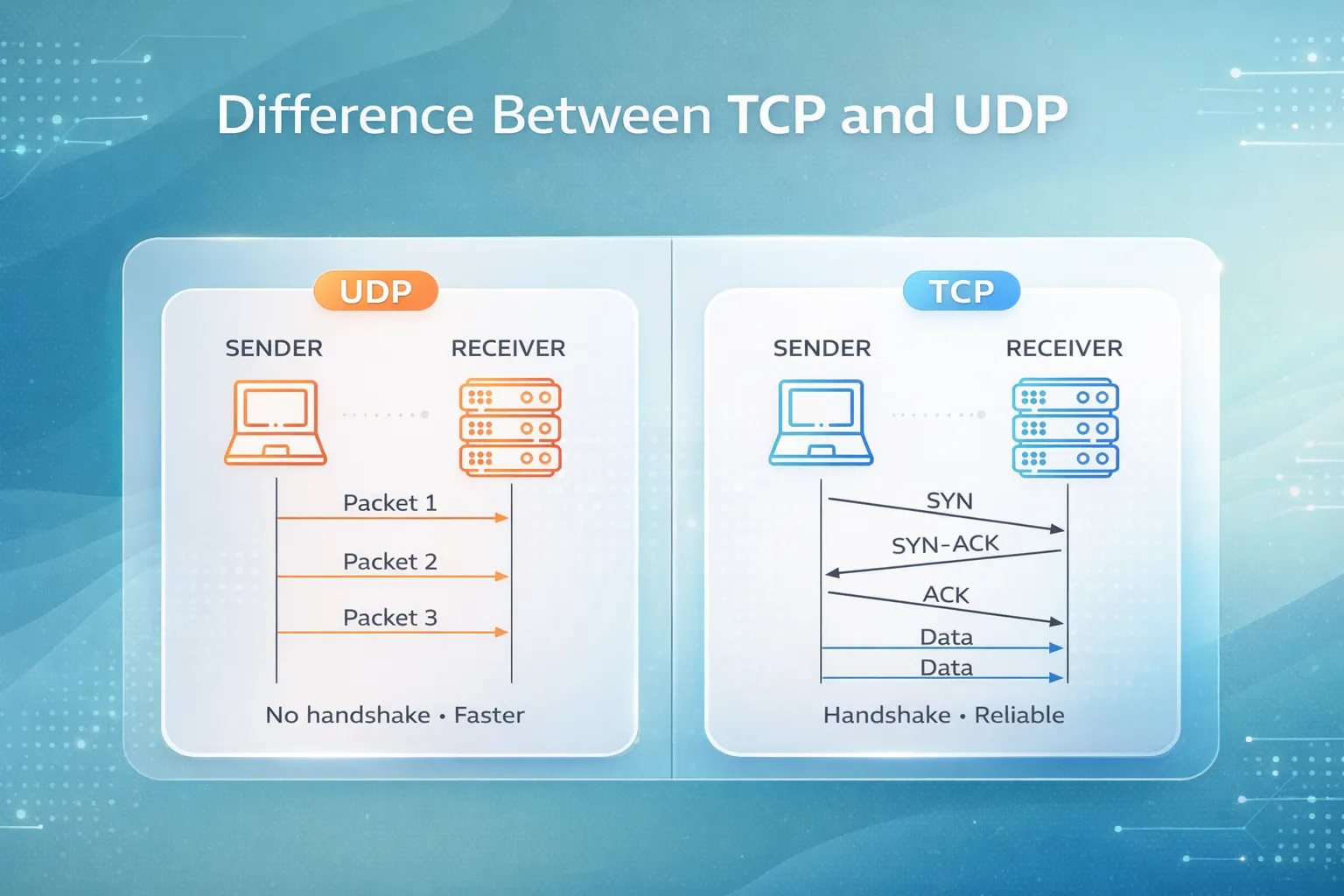
A TLS handshake is a process that happens between two systems such as a client and a server in order to share information in a secure way. They initially share information to confirm/verify each other’s identity, and subsequently then agree on how to encrypt the data during transmission. This ensures that any information sent back and forth remains private and safe from prying eyes.
The handshake must succeed before any secure communication can happen because it sets up the encryption keys that protect your data. Otherwise, the connection remains unprotected and your data can be at risk.
What “Peer Failed to Perform TLS Handshake” Means
The error “Peer Failed to Perform TLS Handshake” means that the system you’re trying to connect with couldn’t complete the handshake process. In simple terms, it’s like two systems trying to establish a secure connection, but one of them fails to do its part.
This error is more specific than a general TLS/SSL handshake failure. While other failures might happen for different reasons, this one means the peer system didn’t even finish the handshake step, which prevents the secure connection from being set up in the first place.
Common Causes of This Error
Client-Side Causes
An incorrect system date/time can cause the handshake to fail because certificates may not be validated properly. Browser or device misconfigurations can also block the handshake process. Additionally, outdated TLS support on older browsers as well as devices may not be compatible with newer versions of TLS, resulting in errors.
Server-Side Causes
On the server, invalid or expired certificates can stop the handshake from completing. Servers that use outdated TLS versions or have cipher suite incompatibilities won’t be able to negotiate secure communication with clients. An incomplete certificate chain on the server can also lead to handshake failures.
Network/Infrastructure Causes
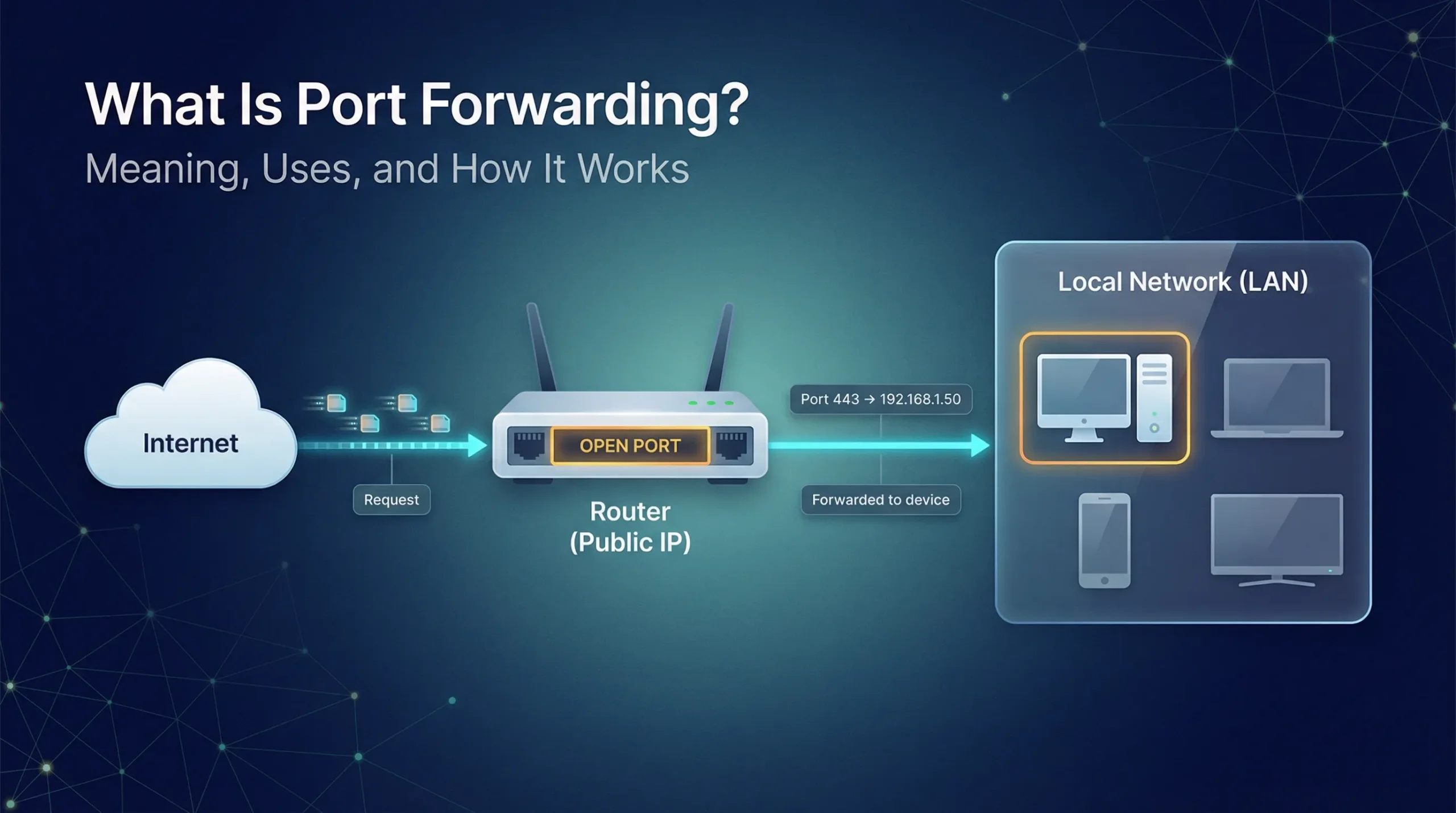
Firewalls or NAT devices might block the ports necessary for the handshake. MITM (Man-in-the-Middle) attacks or network proxies can also interfere by altering the connection or blocking it entirely, which is often overlooked but can cause the error. If you’re working in an enterprise environment, learning firewall controls (like Palo Alto) helps a lot with these cases.
How to Diagnose the Problem
To diagnose the issue, start by using the openssl s_client -connect server:443 command. This helps you see if the server is responding to the TLS handshake request. The second step is to verify the validity of the certificate to ensure it’s not expired and/or invalid. Another thing that you should check is whether or not the client and the server support TLS versions to make sure they’re using compatible versions. Running a firewall/port reachability test can help you see if any ports are blocked. Finally, if needed, you can use a packet capture to analyze the handshake stages and spot where it’s failing.
Fixes & Solutions You Can Try
Client Fixes
- Sync your system clock to make sure it matches the current time. Also, this is crucial for validating certificates.
- Update your browser/device to the latest version so that it can support newer TLS standards.
- Clear your cache and disable unnecessary extensions, as they can sometimes cause problems with the handshake process.
Server Fixes
- Renew/reissue the server’s certificate if it’s expired or invalid.
- Enable compatible TLS versions, like TLS 1.2 or 1.3, to make sure the server can handle new/modern encryption methods.
- Configure matching cipher suites between the client as well as the server to ensure both sides can communicate securely.
- Ensure a complete certificate chain is installed, providing all necessary certificates to establish trust.
Network Fixes
- Open or allow the TLS port (443) in your firewall to ensure the handshake can go through.
- Temporarily disable interfering proxies/firewalls to test if they’re causing the problem during the handshake.
Prevention & Best Practices
To avoid peer failed to perform TLS handshake error, it is always advisable to use the latest TLS versions such as TLS 1.2 or 1.3. These are the most secure encryption versions. It is also necessary to have Proper certificate lifecycle management and make sure certificates are renewed before they expire and that they’re properly configured. Constant checking and warning will assist you in detecting any problems in good time, so that your systems stay safe and operational. These measures will reduce the chances of this error happening in the future.
Conclusion
To conclude, a peer failed to perform TLS handshake error is a common problem when there’s an issue with the handshake process between two systems. It may be due to client, server or network issues. To troubleshoot it, one can run diagnostics using tools such as OpenSSL and step-by-step fixes on both the client side and the server side.
For future reference, keep your system up to date with the latest TLS versions, regularly check your certificates, and watch your network for any suspicious activity. If you see this error again you should refer back to the common causes/fixes checklist that can help you resolve it.
FAQs
1. What causes the “Peer Failed to Perform TLS Handshake” error?
When two systems cannot create a secure connection due to expired certificate(s), incompatible TLS versions or network blockages, that is when you would receive an error message “the peer failed to perform TLS handshake”
2. How do I fix the “Peer Failed to Perform TLS Handshake” error?
Check to make sure that your system clock is set correctly; update your browser/server certificates, verify that both sides have the same TLS version enabled, and ensure both sides have the same ciphers enabled.
3. Can a firewall cause the TLS handshake error?
Yes, firewalls or network proxies might block necessary ports (like port 443) or interfere with the handshake process which can then cause the error.
4. How can I check if the server’s certificate is the problem?
You can use tools like openssl s_client -connect server:443 to check whether the server’s certificate is valid and/or properly configured.
5. Is this error related to my browser or device?
It could be to some extent! Misconfigurations, outdated browsers as well as incorrect system time on your device can cause this handshake error.

PM Networking is an emerging leader in the ed-tech space, founded by Praphul Mishra in 2020 with a vision to democratize tech education. The journey of PM Networking began as a YouTube channel with the sole purpose of sharing valuable knowledge in the fields of Networking, Cyber Security, and Cloud Computing. What started as a humble effort to educate has rapidly evolved into a comprehensive online learning platform that caters to the growing demand for specialized IT skills. PM Networking stands out in the crowded ed-tech industry by providing affordable, world-class training tailored to the needs of aspiring IT professionals. The platform is dedicated to equipping learners with the skills and knowledge required to excel in the highly competitive tech industry. Whether it’s Networking fundamentals, advanced Cyber Security protocols, or mastering the complexities of Cloud Computing, PM Networking offers a range of courses designed to cater to different levels of expertise.
0 Comments